
University of Bremen Campus App
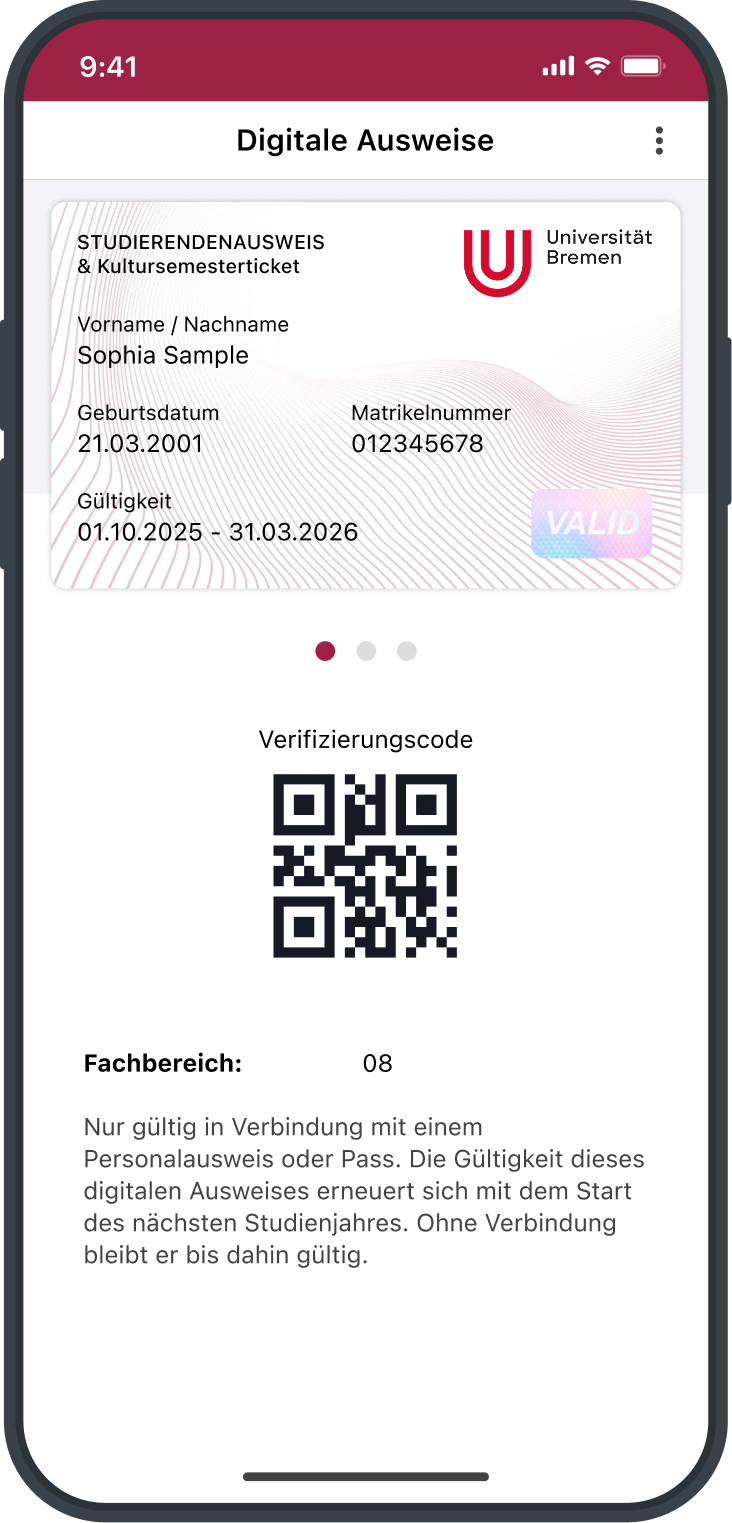
The University of Bremen will introduce its campus app in the summer semester of 2026. With this app, students at the University of Bremen will always have their ID cards with them in digital form!
This is what makes the digital student ID card so practical:
- Always up to date: As long as you are enrolled, the validity date of your ID card is automatically updated every semester.
- Available offline: No network? No problem. Once downloaded, your ID card can also be accessed offline.
- Maximum protection: Integrated security features such as a screenshot lock and real-time verification via the campus management system make your ID card completely forgery-proof.
- Emergency notifications: In case of emergencies, you will receive important information directly from the University of Bremen as a critical alert.
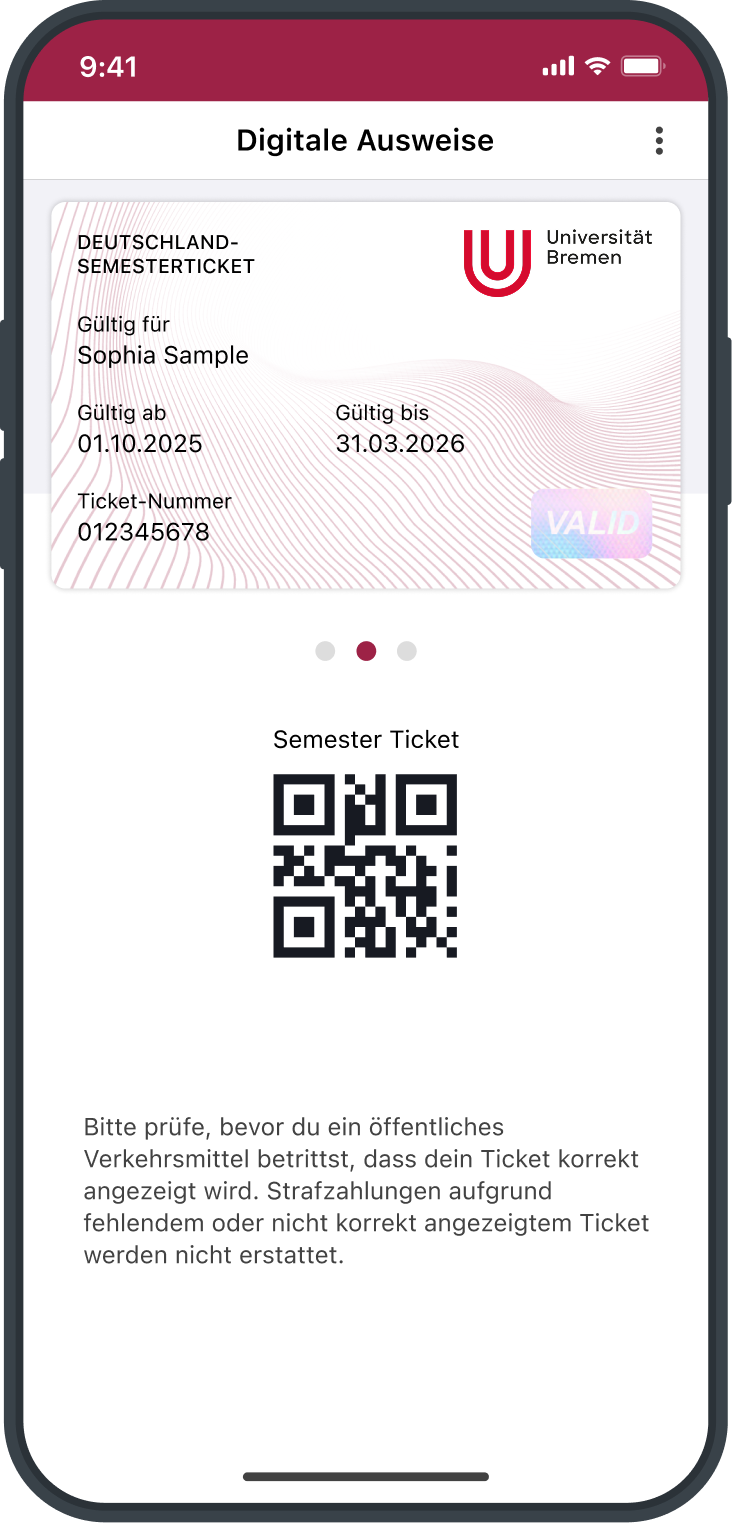
- Travel throughout Germany: The included Germany semester ticket allows you to travel freely on local transport throughout the entire country.

- Unlimited mobility: Thanks to the integrated European Student Card, you can easily prove your status throughout Europe.
Where can I get the app?
You can download the app at https://studo.app/?app=unibremen or find it in app stores under University of Bremen.
What if I can't/don't want to use the app?
- Those who cannot or do not want to use the app can apply for a replacement document for the digital student ID card via moin.
- Information on the app-free alternative for the Germany semester ticket can be found on the AStA website.
- The European Student Card is only available as a digital ID card.
Things to know about the Campus App
The app was developed in collaboration between the University of Bremen and Studo. Studo is an educational technology company based in Graz, Leverkusen, and Maribor that specializes in digital solutions for students and universities. Studo has been offering an organizational app for students since 2016. It is currently used by approximately 500,000 students every day.
After opening the downloaded app, click on “I’m new here.” Create a personal account with the app provider Studo, and then log in to the University of Bremen’s Campus App using your university account (the part of your email address before @uni-bremen.de).
Please enable this feature the first time you use the app. Then, in emergencies such as a fire, IT outage or rampage, you will receive an alert that bypasses your “Do Not Disturb” mode.
Providing a phone number is necessary for both security and usability reasons: What appears to be a unified app environment actually consists of two technically separate environments that work together: On the one hand, there is access to the university via the Uni-Login for displaying the digital student ID, the European Student Card, and the Deutschlandsemesterticket, as well as for accessing Stud.IP; on the other hand, there is the “private” environment, which requires logging in to the app provider using your phone number—this makes emergency notifications technically possible and enables the use of any additional modules within the app.
The app complies with the provisions of the General Data Protection Regulation (GDPR) regarding the handling of personal data. The GDPR compliance of the Studo app—which forms the technical basis for the University of Bremen’s campus app—is ensured through annual data protection audits conducted by TÜV Süd.
The app provider, Studo, receives only a very limited amount of personal data from you: For example, your data—such as that required to retrieve your student ID—is never stored on the app provider’s servers. The data is merely routed temporarily through the servers of Studo or its subcontractors in order to display it in the app via the interfaces to Stud.IP and the identity management system. To avoid having to log in again every time you launch the app, your login credentials are stored locally in an encrypted format within an area secured by the operating system. This personal data is not shared with third parties.
To protect your data that Studo processes on our behalf (e.g., your phone number), we have also entered into a data processing agreement in compliance with the strict requirements of the GDPR.
If you wish to use the European Student Card (ESC), you must consent once to data processing by the ESC Router. The app will guide you through the process. After that, the ESC works just like the other ID cards.
No. An ESC hologram could be applied to an existing plastic campus card. The EU does not provide its own separate cards for the ESC, and the University of Bremen has no plans to introduce plastic cards (too expensive, too complex, not sustainable, and would not be able to include all services).
As long as you are enrolled, the ID cards will appear in the app and are automatically updated at the start of each new semester. This is no longer possible after your date of withdrawal. Winter semester ID cards are displayed until March 31 at 11:59 p.m., and summer semester ID cards are displayed starting April 1.
To do so, use the certificate of enrollment available on the moin portal, which can be downloaded and printed as often as needed. In response to numerous requests from students, small enrollment certificates (“Immis”) are also available for self-printing on the moin portal. An enrollment certificate is valid when presented with a photo ID, just like the student ID card.
The app uses university credentials for login. This means you log in directly to the moin portal or PABO. Therefore, you must log in once using your credentials. The Campus App stores the entered credentials only locally in an encrypted format within an area secured by the operating system.
You can, of course, delete your data at any time—even before entering your university login credentials. To do so, click on “Feedback and Support” in the top-right corner of the app and request deletion via the support chat or by emailing supportprotect me ?!studoprotect me ?!.com. You can also easily delete your account within the app by going to “Side Menu -> Settings -> About Uni Bremen App -> Request Account Deletion.” This option is only available after logging in with your university login credentials.
At the bottom of the app, you’ll find your student IDs, your Stud.IP courses, a calendar, and emails sent to your university account. To customize these sections, tap the three dots in the upper-right corner of the respective section. This opens a menu with additional options: For emails, you can select your folders and subfolders; in the calendar, you can change the view. The options displayed depend on which section you currently have open.
Tap “Stud.IP” in the vertical bar below the menu iconto open the Stud.IP homepage. You can also access individual features—such as your courses, the calendar, the bulletin board, or study room reservations—directly via the corresponding menu items in the Campus App.
These entries open the respective section of Stud.IP. When you access additional pages there, you’re navigating within Stud.IP.
In order for the Deutschlandsemesterticket to be updated in the Campus App, data sharing must be confirmed and, if necessary, renewed; the app will prompt you accordingly. Please always confirm the required data sharing in the app. If data sharing is not granted, the Deutschlandsemesterticket cannot be updated, which may lead to validity issues during ticket inspections.
At the start of a new semester, both the ticket for the current semester and the ticket for the upcoming semester will be temporarily displayed. Pay attention to the validity period of each ticket and, during a ticket inspection, present the ticket that is valid on the day of your trip.
If you encounter technical issues with the app, tap the three dots in the upper right corner and select Feedback & Support > Contact Support. If you cannot contact us through the app, please email supportprotect me ?!studoprotect me ?!.com.
No. The Campus App is a so-called white-label app—that is, a “turnkey” commercial solution that is customized to meet the needs of the University of Bremen.